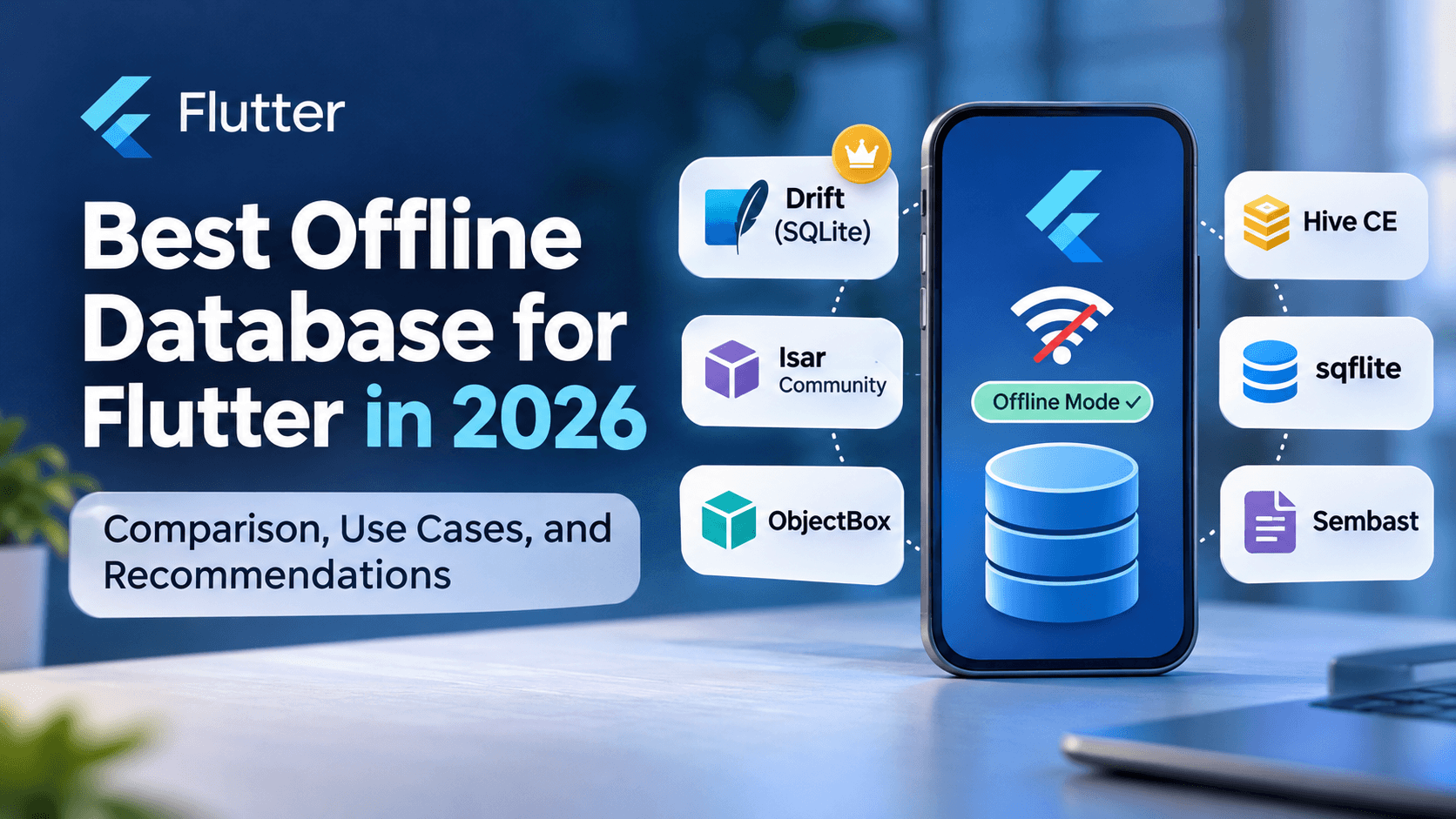
Choosing the best offline database for Flutter in 2026 is an important architectural decision for developers building reliable mobile, desktop, and business applications. Whether you are developing a Point of Sale (POS) system, inventory management software, delivery application, or enterprise platform, the right local database can significantly influence performance, data integrity, synchronization, and long-term maintainability.
In this guide, we compare Drift, Isar Community, ObjectBox, Hive CE, SQLite (sqflite), and Sembast, examining their advantages, limitations, and real-world use cases. We also explore how to design a reliable offline-first Flutter application that synchronizes with a backend such as Laravel.
Key Takeaways
- Drift with SQLite: Our preferred starting point for POS, ERP, accounting, inventory management, and other transactional business applications.
- Isar Community: A strong object-oriented option for Flutter applications requiring reactive local data storage.
- ObjectBox: Worth considering for applications handling large object datasets and performance-sensitive local operations.
- Hive CE: Suitable for preferences, configuration, and lightweight local caching.
- sqflite: Provides direct SQLite access for developers who prefer writing and managing SQL themselves.
- Offline-first architecture: Database selection alone is insufficient. Synchronization, conflict resolution, transactions, and recovery are equally important.
Why Do Flutter Applications Need an Offline Database?
Many applications depend on continuous connectivity to communicate with a central server. While this approach works in stable network environments, it creates challenges when users experience interrupted internet access, weak mobile signals, or temporary server outages.
An offline database allows an application to store and retrieve information directly on the user's device. This improves responsiveness and enables supported business operations to continue without a constant network connection.
Example: An Offline Point of Sale System
Imagine a retail business using a Flutter POS application. During a busy sales period, the internet connection suddenly becomes unavailable.
A properly designed offline-first POS system may still allow employees to:
- Search products and view locally stored prices.
- Add items to the shopping cart.
- Calculate totals, taxes, and discounts.
- Create and save sales transactions.
- Update local inventory records.
- Print locally supported receipts.
- Queue transactions for later synchronization.
When connectivity returns, pending operations can be transmitted to the backend without requiring employees to re-enter information.
Important: Offline database support does not automatically enable offline card payments or legally compliant fiscal receipt issuance. Those operations depend on the payment provider, device capabilities, and applicable regulations.
Best Flutter Offline Databases in 2026: Quick Comparison
Flutter developers can choose from relational databases, object databases, document databases, and key-value stores. Each architecture offers different advantages depending on the application's requirements.
| Database | Type | Complex Queries | Reactive Updates | Recommended Use |
|---|---|---|---|---|
| Drift | Relational / SQLite | Excellent | Yes | POS, ERP, inventory |
| Isar Community | Object / NoSQL | Good | Yes | Offline mobile applications |
| ObjectBox | Object database | Good | Yes | Large object datasets |
| Hive CE | Key-value / NoSQL | Limited | Yes | Settings and caching |
| sqflite | Relational / SQLite | Excellent | Manual integration | Custom SQL implementations |
| Sembast | Document / NoSQL | Basic to moderate | Supported | Small document-oriented apps |
These comparisons describe architectural capabilities rather than independently measured performance rankings. Actual database performance depends on device hardware, indexing, query patterns, data volume, and implementation quality.
1. Drift: Best for Complex Flutter Business Applications
Drift is a reactive persistence library built on SQLite. It combines the reliability of relational databases with Dart code generation, type-safe queries, database migrations, and reactive streams.
For applications containing many related entities, Drift offers a structured approach to local data management.
Advantages of Drift
- Advanced SQL queries: Supports joins, aggregation, filtering, sorting, and relational reporting.
- ACID transactions: Helps maintain consistency when multiple database changes must succeed together.
- Reactive queries: Database streams can automatically update Flutter interfaces when relevant data changes.
- Type safety: Generated Dart APIs help identify certain query and data-model errors during development.
- Schema migrations: Supports controlled database upgrades as applications evolve.
- Cross-platform support: Supports Flutter mobile, desktop, and web with appropriate platform configuration.
Example: Saving a POS Sale with Drift
Consider a POS application that needs to save a sale, its line items, related stock movements, and a pending synchronization event.
These operations should be performed within a single local database transaction to avoid partially committed sales.
await database.transaction(() async {
  await database.into(database.sales).insert(sale);

  await database.batch((batch) {
    batch.insertAll(database.saleItems, saleItems);
    batch.insertAll(database.stockMovements, movements);
  });

  await database.into(database.syncOutbox).insert(syncEvent);
});
This is an illustrative example assuming the tables and companion objects have already been defined. In a production system, inventory constraints and other business validations must also be enforced.
If a database operation fails before the transaction commits, the local transaction can roll back instead of leaving incomplete records.
Limitations of Drift
- Requires an understanding of relational database design.
- Initial configuration can be more involved than simple key-value storage.
- Schema evolution requires careful migration planning.
- Complex queries still require indexes and performance optimization.
Our recommendation: For new Flutter POS, ERP, inventory, accounting, and distribution management applications, Drift with SQLite is an excellent starting point because relational integrity and reporting are often more important than simple object persistence.
2. Isar Community: Object-Oriented Offline Database for Flutter
Isar Community is a community-maintained continuation of the Isar database ecosystem. It provides an object-oriented persistence model suitable for Flutter applications that work extensively with Dart classes and collections.
Unlike SQL-based solutions, Isar allows developers to interact with persisted objects through generated collection APIs.
Advantages of Isar Community
- Object-oriented development: Developers work directly with Dart model classes.
- Reactive data access: Watchers can notify the application when stored information changes.
- Indexed queries: Supports efficient filtering and querying when indexes are designed appropriately.
- Transactions: Supports atomic operations for related local database changes.
- Convenient data modeling: Useful for applications with object-centric data structures.
Limitations of Isar Community
- Complex relational reporting may be less convenient than SQL.
- Schema changes require careful compatibility and migration planning.
- Community fork compatibility should be verified before switching from original Isar.
- Platform support and package maintenance should be checked for the selected version.
Original Isar vs Isar Community
The original Isar 3 package has experienced a substantial gap in stable releases, making maintenance status an important consideration for developers starting new projects.
Isar Community continues the ecosystem through community development. However, teams should review its release history, supported platforms, dependency compatibility, and migration guidance before adopting it.
When Should You Choose Isar?
Isar Community is worth evaluating for offline mobile applications, field data collection, product catalogs, and applications primarily centered around object persistence.
For an existing Flutter application already using Isar successfully, migration to another database should be based on concrete technical requirements rather than trends.
3. ObjectBox: Efficient Object Persistence for Flutter
ObjectBox is an embedded object database designed for efficient local storage and retrieval. It supports transactions, relations, indexing, and reactive queries.
ObjectBox is particularly interesting when applications work with substantial collections of persistent objects.
Advantages of ObjectBox
- Efficient object-oriented persistence.
- Transactional data storage.
- Support for object relations and indexes.
- Reactive query capabilities.
- Useful features for selected on-device vector search and AI workloads.
Limitations of ObjectBox
- SQL-style analytics are not its primary design.
- Developers must learn its object mapping and relation APIs.
- Platform compatibility must be verified for each deployment target.
- ObjectBox Sync is a separate offering with licensing and commercial considerations.
Is ObjectBox Faster Than SQLite?
ObjectBox can perform very well in object persistence workloads, but there is no universally valid answer to whether it is faster than SQLite.
A benchmark involving simple object reads may produce different results from one involving complex joins, large transactions, or aggregate reporting.
Developers should measure real application workflows using representative datasets and target devices rather than choosing a database based solely on published benchmark results.
4. Hive CE: Lightweight Flutter Local Storage
Hive Community Edition is a lightweight Dart-based key-value database that continues the Hive v2 ecosystem.
It is an attractive solution for applications requiring simple persistent storage without the complexity of a relational database.
Advantages of Hive CE
- Simple and approachable API.
- Lightweight local data persistence.
- Dart-based implementation.
- Support for mobile, desktop, and web.
- Useful adapter generation and encryption capabilities.
Limitations of Hive CE
- Not designed for advanced relational queries.
- Entity relationships generally require manual management.
- Complex reporting can become difficult.
- Its storage model is less suitable for multi-record financial transactions.
When Is Hive CE the Best Choice?
Hive CE is well suited to application preferences, cached user settings, recently viewed records, small offline collections, and lightweight configuration storage.
For complex POS or accounting applications, a relational database is generally a better primary storage solution.
5. sqflite vs Drift: Which SQLite Solution Is Better?
sqflite and Drift both provide access to SQLite capabilities, but their developer experiences are different.
sqflite offers a relatively direct interface to SQL queries, transactions, and batches. Drift adds a higher-level persistence framework with generated types, reactive queries, and migration tooling.
| Feature | sqflite | Drift |
|---|---|---|
| SQLite engine | Yes | Yes |
| SQL queries | Yes | Yes |
| Transactions | Yes | Yes |
| Generated type-safe APIs | Not built in | Yes |
| Reactive query streams | Manual implementation | Built in |
| Migration tooling | Manual approach | Integrated tooling |
| Boilerplate | More manual code | More generated structure |
Choose sqflite when direct SQL access and low-level control are priorities. Choose Drift when structured data access, reactive interfaces, and maintainability are important.
Because both use SQLite, differences in application performance often come from query design, indexing, execution patterns, and additional abstraction overhead rather than entirely different storage engines.
6. What About Sembast and Realm?
Sembast for Document-Oriented Applications
Sembast is a Dart-based document database suitable for JSON-like records and relatively simple local persistence requirements.
It can be appropriate for smaller applications, prototypes, and applications that do not require complex relational database operations.
Realm Maintenance Considerations
Realm was previously an attractive option for object-oriented mobile persistence, especially when combined with MongoDB Atlas Device Sync.
However, MongoDB deprecated the Atlas Device SDKs and ended support in September 2025. Atlas Device Sync is no longer a supported synchronization solution.
Community-maintained on-device alternatives may remain available, but developers starting new projects should carefully assess package maintenance, supported platforms, and migration requirements.
7. Which Offline Database Is Best for a Flutter POS System?
Business applications such as POS systems require more than fast local reads and writes. Their databases must preserve financial and operational consistency through failures, interrupted connectivity, and application restarts.
Typical POS Database Structure
A production POS database might include the following entities:
- Products and categories.
- Customers and suppliers.
- Sales and sale items.
- Purchase orders.
- Inventory movements.
- Payments and refunds.
- Tax configurations.
- Receipt and fiscal operation statuses.
- Synchronization events.
- Audit records.
These entities often have relationships that make relational database design particularly valuable.
Why Drift Is Our Preferred Starting Point
For new transactional business applications, we generally favor Drift because it combines SQLite transactions with relational queries and structured data access.
For example, a POS application can group sales by payment method, calculate revenue over specific periods, analyze product performance, and maintain stock movement histories through SQL queries.
However, existing Isar-based systems should not be migrated without a clear business or technical justification. Migration costs, data conversion risks, and customer disruption must be considered.
Critical consideration: A local database transaction cannot roll back an external card payment or fiscal receipt that has already been issued. These operations require separate durable states, idempotent requests, and reconciliation workflows.
8. How to Build an Offline-First Flutter Application with Laravel
Choosing the right local database is only one part of creating a reliable offline-first application.
A practical architecture for Flutter applications with a Laravel backend includes local storage, a durable synchronization queue, server APIs, and defined conflict-resolution rules.
Typical architecture: Flutter Application → Local Database → Synchronization Outbox → Laravel API → MySQL or PostgreSQL.
Step-by-Step Offline Synchronization Strategy
- Step 1: Store information locally. Save supported business operations into the local database so they do not depend on immediate server availability.
- Step 2: Create an outbox record. Record pending synchronization events in the same local database transaction as the related business changes.
- Step 3: Generate unique identifiers. Assign stable UUIDs to operations so retries can be identified across multiple synchronization attempts.
- Step 4: Synchronize with Laravel. Send pending operations to backend endpoints when connectivity becomes available.
- Step 5: Prevent duplicate operations. Implement idempotency on the server so repeated requests cannot create duplicate financial or inventory transactions.
- Step 6: Resolve synchronization conflicts. Define how the application handles simultaneous changes from multiple offline devices.
- Step 7: Recover from interruptions. Store synchronization progress durably and retry failed operations safely after restarting the application.
Example Synchronization Outbox
| Operation | Action | Status | Attempts |
|---|---|---|---|
| UUID-001 | Create sale | Pending | 0 |
| UUID-002 | Update customer | Synced | 1 |
| UUID-003 | Record stock movement | Retry | 2 |
The backend should record processed operation identifiers and return a consistent result when the same operation is submitted again.
Handling Inventory Conflicts
Imagine two POS devices operating offline. Both sell the last available unit of a product before synchronizing.
Without a well-defined conflict-resolution policy, the central system could accept inconsistent inventory quantities.
Possible approaches include server-side validation, stock reservations, an explicit overselling policy, or manual reconciliation.
For many inventory applications, maintaining an auditable stock movement ledger is more reliable than repeatedly overwriting a single stock quantity.
Development advice: Design synchronization before building all application screens. Stable identifiers, retry policies, server-side validation, and conflict resolution are much harder to retrofit into a mature application.
9. Common Mistakes When Choosing a Flutter Database
Choosing Based Only on Benchmarks
A database that performs well in simple insert benchmarks may perform differently when handling joins, reports, large transactions, or concurrent operations.
Benchmark realistic business workflows using representative data volumes and target devices.
Ignoring Database Maintenance
Flutter and Dart evolve regularly. A database package that works today may face compatibility challenges with future SDK releases.
Review package maintenance, release history, issue activity, and supported platforms before committing to a database for a long-lived application.
Using Key-Value Storage for Complex Business Data
Key-value databases are useful, but they are not automatically suitable for applications containing many interrelated business entities.
Manual relationship handling and complex reporting logic can increase maintenance costs as an application grows.
Ignoring Schema Migrations
Business applications can remain installed on customer devices for years.
Every database schema change must preserve existing information and support safe upgrades. Migration testing should be part of the development process.
Assuming Offline Storage Means Offline-First
Simply caching records locally does not create a complete offline-first system.
Reliable synchronization requires operation tracking, retry handling, conflict policies, observability, and recovery from failures.
10. Recommended Flutter Database by Application Type
The following recommendations provide practical starting points based on common application requirements.
| Application Type | Recommended Database | Main Reason |
|---|---|---|
| Point of Sale | Drift | Transactions and reporting |
| Inventory Management | Drift | Relational data integrity |
| Accounting Software | Drift | Financial consistency |
| ERP Systems | Drift | Complex business relationships |
| Delivery Applications | Drift or Isar Community | Offline orders and local data |
| Field Data Collection | Isar Community or ObjectBox | Object-oriented persistence |
| Large Object Datasets | ObjectBox | Efficient object storage |
| App Preferences | Hive CE | Lightweight key-value storage |
| Simple Document Storage | Sembast | Document-oriented persistence |
These are recommendations rather than universal rules. Final database selection should consider required platforms, query patterns, transaction requirements, expected data volume, package maintenance, and developer expertise.
11. Frequently Asked Questions About Flutter Offline Databases
What Is the Best Offline Database for Flutter in 2026?
Drift with SQLite is one of the strongest choices for complex transactional business applications. Isar Community and ObjectBox are alternatives for object-oriented persistence, while Hive CE is suitable for lightweight local storage.
Is Drift Better Than Isar?
Drift is generally more convenient for complex relational queries, reporting, and structured business transactions. Isar Community can be attractive for applications built around Dart objects and collection-based queries. The better choice depends on application requirements.
Is SQLite Suitable for Flutter POS Applications?
Yes. SQLite is a mature embedded relational database that supports transactions, indexing, and complex queries. Combined with a reliable synchronization architecture, it provides a solid foundation for offline POS applications.
Can Flutter Applications Work Completely Offline?
Yes. Flutter applications can provide offline functionality when the required data and operations are available locally. However, online payments, external API requests, and certain regulatory operations may still require connectivity.
Does Drift Automatically Synchronize with Laravel?
No. Drift handles local persistence but does not automatically synchronize application data with Laravel. Developers must implement or integrate synchronization mechanisms, including API communication, durable queues, idempotency, and conflict resolution.
Should Existing Isar Applications Migrate to Drift?
Not necessarily. If an Isar application is stable and meets its functional requirements, migration may introduce unnecessary cost and risk. Consider moving only when technical limitations or maintenance concerns justify the change.
Which Flutter Database Is Best for Windows Desktop Applications?
Drift with SQLite is a strong option for Windows business software, particularly when relational queries and transactional consistency are required. Isar Community and ObjectBox may also be appropriate depending on their supported versions and the application's data model.
Can I Use Multiple Local Databases in One Flutter Application?
Yes. For example, an application might use Drift for transactional business records and Hive CE for lightweight preferences. However, using multiple databases introduces additional complexity, especially when information must remain consistent across storage systems.
Final Verdict: Which Flutter Offline Database Should You Choose?
There is no single best database for every Flutter application.
For new POS, inventory, ERP, accounting, and other transactional business systems, Drift with SQLite is our preferred starting point because of its relational capabilities, transactions, reactive queries, and migration tooling.
For applications centered on Dart objects, Isar Community and ObjectBox are compelling alternatives. For simple persistent settings and lightweight caching, Hive CE offers a straightforward solution.
Most importantly, database selection should be based on long-term requirements rather than short-term development convenience or isolated performance benchmarks.
A reliable offline-first application depends on good data modeling, transactional integrity, synchronization architecture, recoverability, and consistent software maintenance.
Build Reliable Offline-First Flutter Applications with Apps Lanka
At Apps Lanka Software Solutions, we develop Flutter mobile and desktop applications, POS systems, inventory management platforms, business management software, and integrated backend solutions.
Our development approach focuses on selecting technologies that meet real business requirements, with attention to reliability, maintainability, scalability, and long-term operational needs.
Whether you are developing a new business application, upgrading an existing Flutter system, or planning an offline-first platform integrated with Laravel, choosing the right architecture from the beginning can reduce future development and maintenance costs.
Looking for professional Flutter application development? Visit Apps Lanka Software Solutions to discuss your project and explore suitable development solutions.


0 Comments